
Water Simulator Flood Everything Guides
First-hour walkthroughs, valley map, digging, quests, flood plans, fluids, events, and controls.
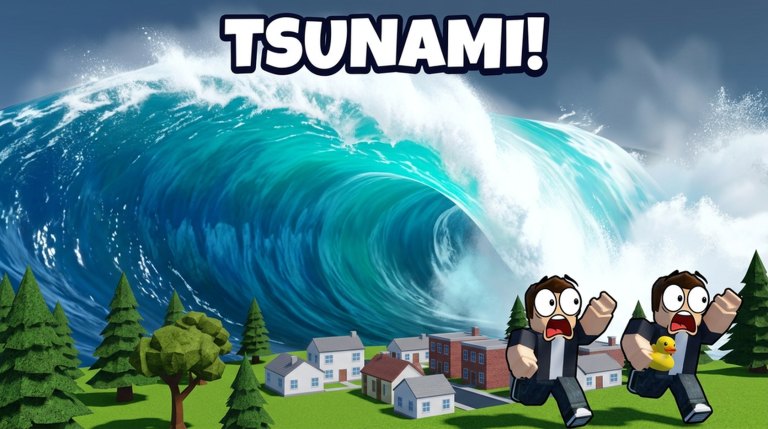
This hub is the map of every how-to on the wiki. Water Simulator Flood Everything looks simple from the Roblox thumbnail — spray water, flood a town — but the valley is a shared physics toy. Six players share one fluid field. A trench you dig becomes someone else’s river. A dam you crack can erase an hour of mud walls. Read these pages in order if you just joined, or jump to the disaster you actually want.
First session
Start with getting started so you know the hose, shovel, quest stars, and Reset button before you wreck the spawn town. Pair it with controls if you play on a phone, because the Fly button and tool tray sit in different corners than a WASD keyboard.
The official description is the rulebook: water flows downhill, fills holes you dig, and floods streets when the volume has nowhere else to go. Do not spray in a circle on flat grass and expect a river. Cut a channel, then pour. The digging guide is that channel craft. The valley map is where town, dam, and volcano sit relative to gravity.
Spectacle and systems
When you are ready to cover the map, open how to flood. Breaking the dam is the intended full-map dump. Admin Controls is the paid one-click version. The volcano page covers lava plus water making rock. Events covers Tsunami, Meteor Shower, Mega Bomb, and Duck Storm, including the daily tokens that come with VIP.
Fluids is the chemistry page: default water, lava, honey, and slime, plus paid Watermelon Juice and Acid. Lava plus water makes rock at the volcano. Acid eats ground, houses, trees, and other liquids. Honey and slime move slower and are better for slides than for speed-floods.
Vehicles explains the speedboat, jet ski, and giant flamingo that spawn from the Toys tool after you buy the Vehicles pass. They are how you ride the flood you just created instead of swimming through it. Quests covers the star track that unlocks free gadgets before you spend Robux. Flying is the movement pass for scouting the reservoir from above.
How these guides connect
Every guide on this hub links sideways on purpose. Flooding without fluids knowledge wastes lava on a street you meant to keep. Events without a Reset plan leave the server as cooled rock. Vehicles without a canal are toys sitting on dry dirt. Digging without a map aims a canyon at the volcano instead of town. Use the tools hub when you need gadget names, the tier list when you want ranked picks, and updates when an [UPD] shutdown changes a hose or pass.
New accounts should not buy Robux on day one. Play a free session, then read gamepasses and the gamepass tier list before VIP, Mega Tools, or Flying. Codes and scripts are empty as of November 2026; those hubs exist so you do not paste strings from unrelated water games.
Suggested reading order
- Getting started — spawn, hose, shovel, stars.
- Valley map and digging — slope, dam, trenches.
- Controls — keyboard, mouse, touch, Fly.
- Fluids — what each tank actually does.
- How to flood — dam, canals, Admin.
- Quests, events, volcano, and vehicles — stars, spectacle, rock, and riding the water.
If you only have time for one page after this hub, pick getting started. The valley is more fun when you understand gravity before you break the dam.
Frequently Asked Questions
Quick answers to the most common questions.
Which guide should a new player open first?
The getting started page, then the valley map and digging so gravity makes sense.
Where is the full-map flood tutorial?
On how to flood. Dam break is the fastest legal method; Admin Controls is the paid shortcut.
Do these guides cover paid fluids?
Yes. Fluids includes Watermelon Juice and Acid, and links the gamepasses catalog.
Is there a video on every guide?
Only when a real YouTube ID is confirmed for this title. This wiki does not invent video links.